Guitar Pro 8 Help

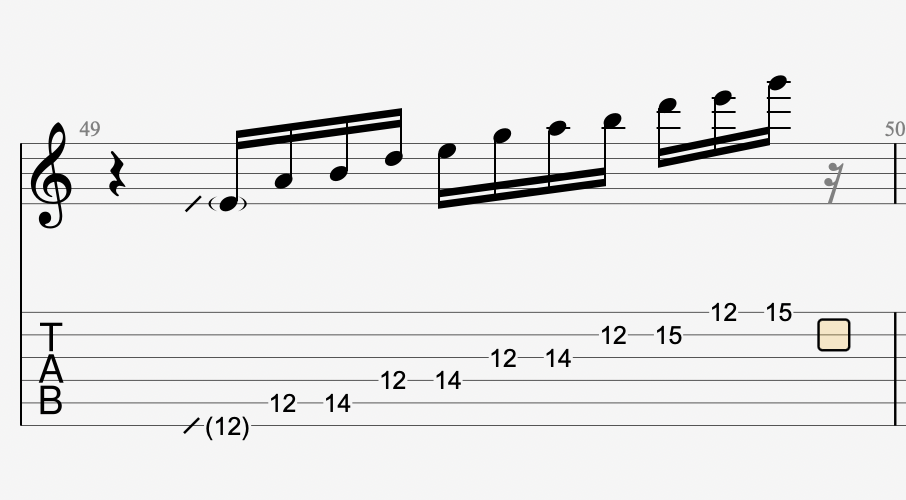
I’m trying to transcribe something and I’m hearing a lick as being approximately 11 notes over beats 3 and 4. How do I notate this correctly in GP8? I have notated the notes, but GP8 keeps throwing in a 16th note rest just after that G note - there shouldn’t be a rest there.

Hopefully, this will all make sense. I’m probably not using the correct technical language, which is why I can’t find the answer :joy:

So, you have this starting on beat 2 in your transcription - fix that first. From here, I’m using GP 7.whatever, but I assume it’s mostly the same.

Enter in only the first 16th note, starting on beat 3.

Click “note” up top, which will drop a menu, and go to duration.

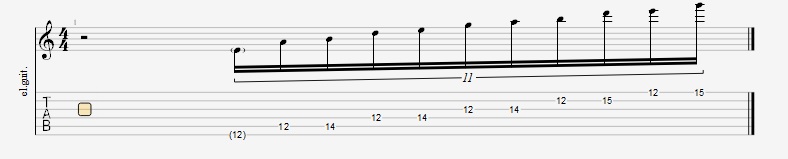
Hovering over duration should cause another side menu to appear, which shows tuplet groupings. 11 is listed, so hit that.

Enter in the rest of the notes.

It will stay in 11tuplet mode until you tell it otherwise, so just be aware of that. That should be easily accomplished by clicking it off in the notation menu on the left.

EDIT: it should look like this when you get it right.

2 Likes

thanks - this was driving me crazy. It was quite an easy solution. :+1:

Sorry @Riffdiculous , while you’re here, and instead of opening another thread, would you know how to note a rhythmic bend?

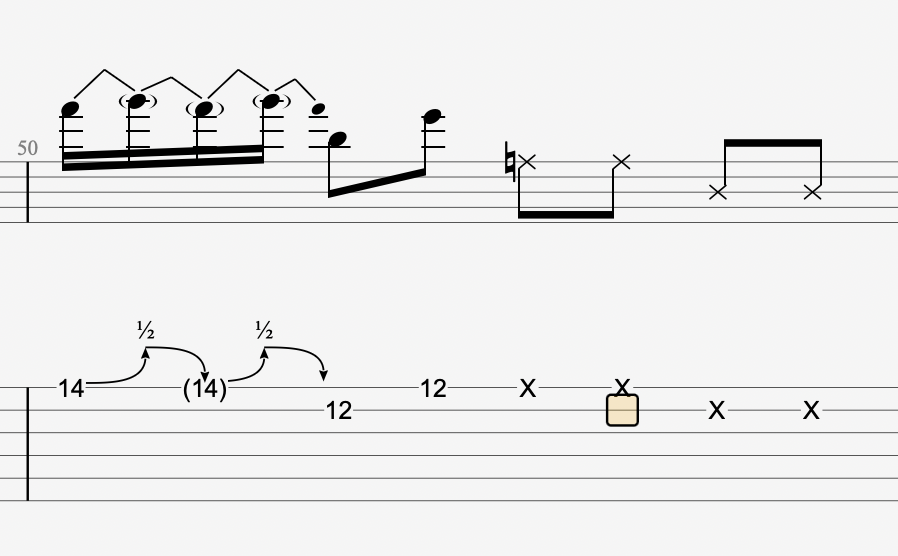
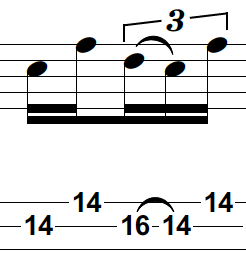
The guitar is bending from F# - G in a 16th note rhythm, but only the first note is picked. Is my tab right? it looks a bit untidy the way the bend notation is kind of sitting over the B note on the 12th fret.

1 Like

Okay, so first - is there an audible release from the bend, or does it go (pitch-wise) F# G F# G and then straight to B? If it just bends up to G and doesn’t release, change the bend in the fourth 16th note to “hold”. That will make everything look like this:

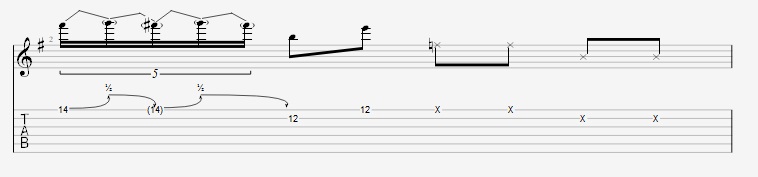
If there is an audible release in there, it has to fit somewhere. If the B lands squarely on beat 2, you could make the first beat a quintuplet, like this:

That help at all? I do feel that notating bends in GP is a little wonky in general.

1 Like

Thanks!! The quintuplet works best in this case - I never thought about notating the bend like that but it seems to work.

Thanks again!

1 Like

Glad that solution works, you’re welcome!

1 Like

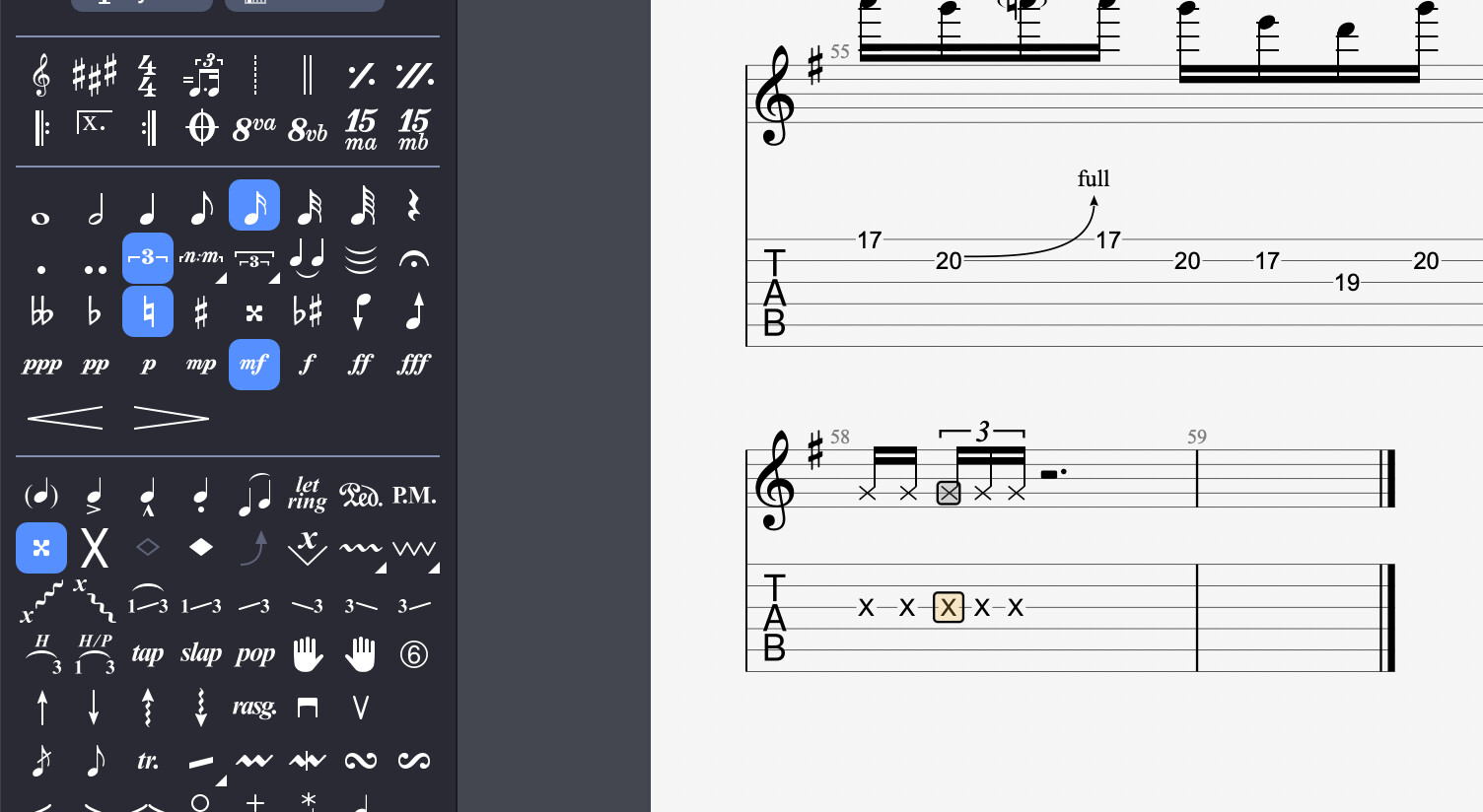
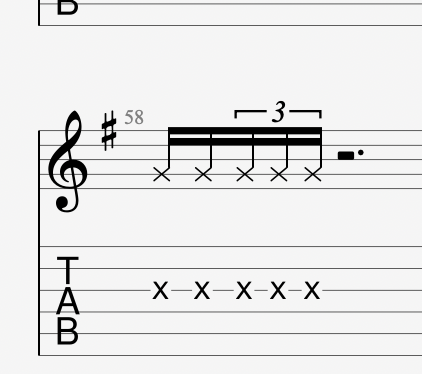
Sorry to bump this again, but does anyone know how to notate this rhythm?

Screenshot 2026-01-12 at 22.31.51

Here is what I’m trying to do in GP 8 -

If I force beams I get this…

Screenshot 2026-01-12 at 22.37.12

Any help would be appreciated!

Highlight the 2nd and 3rd notes, go to the Note dropdown >Design > break secondary beams

2 Likes

Thanks Chris. I would never have been able to work that out for myself!

1 Like

What piece are you working on?!

thank you! Fixed a problem for me. Didn’t know about that menu.

2 Likes

My friend was listening to a kpop song by a group called Latency. It has a pretty decent solo, so I thought I would transcribe it as practice.

1 Like

I should start a campaign to promote it haha. I’m pretty sick of seeing bars loaded with un-beamed triplet and 16th note fragments spread across a bar but not organised by beats. It makes reading the rhythms less intuitive. I sort of wish GP would throw in an option to “beam by beat” to clean up a lot of tabs that seem to be created with playback sound in mind instead of rhythmic legibility.

1 Like

Hey a question for you:

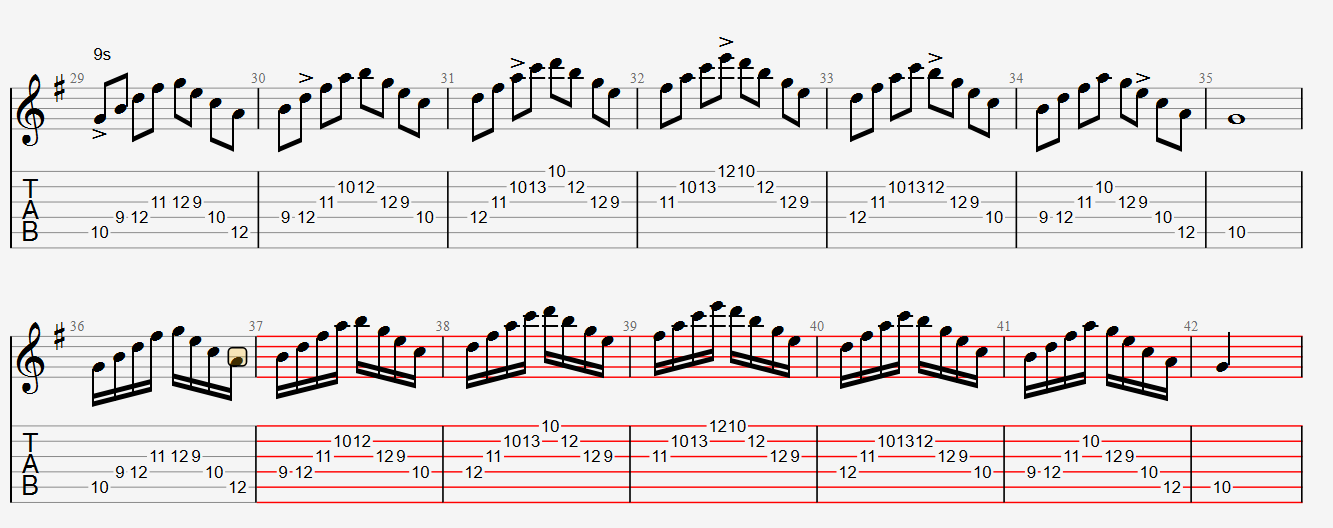
I had a few lines of arpeggios in 8th notes. I copied them and switched them to 16th notes. How do I get the barlines to have the appropriate amount of notes in them?

Adam Rogers Arpeggios (accent patterns).gp (17.0 KB)

You have 3 options:

  1. Highlight and cut the notes in bars 37 ,39 etc. and paste them into 36, 38 so you have complete bars of 4/4 time. Delete the empty bars. This is what you’d do in a real song to stay with the time sig of the piece

  2. Highlight the bars on the bottom row and change the time signature to 2/4. This will make it playback the way you’re intending if this is just a practice routine

  3. Paste your 8th notes in those bars but insert a tempo double to that of the first line. This will be a pain if you plan to alter the tempo of the first line more than once.

thank you! Fixed it.

Adam Rogers Arpeggios Accent Patterns.pdf (177.3 KB)