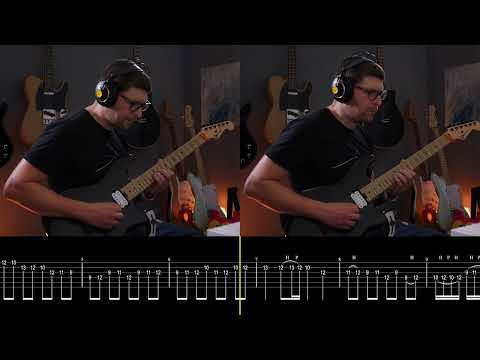
Learning how to do on-screen tabs with a (mostly) DSX solo

@bradejensen I think when posting on YT or social media, there are different kinds of posts that can serve different purposes. For me, performance posts are simply sharing music or demonstrating playing. Lessons are lessons, where there’s a clear thing I’m trying to communicate and I’ll likely talk it out or have slides. Performance posts with on-screen notation can be a nice mix of performance with a teeny bit of ‘education’ - basically some information about what is played, for those curious.

There are absolutely ways to be more educational, more helpful, and more entertaining, but a lot of posting is trying to find things that are at least a bit of all of those adjectives but ideally not incredibly time consuming for the ‘creator.’

Yeah even to just do something easy like soundslice depending on the person if their schedule is crowded they might have to hire editors to tackle even simple stuff. I was just suggesting it, as it might help create a better bond with your subscribers, and could boost views from word of mouth. I notice it is hard for creators these days to get views, so maybe switching it up to try a different approach to see if it spikes any more foot traffic.

You could definitely check with Adrian, his response time to emails is usually very good, but I believe they definitely would want people using SS for this purpose as long as it’s tagged/linked. Interacting with a YT vid that has SS on it pales in comparison to actually interacting with the SS website, but is probably great for introducing SS to new people. So I would wager they’d see it as a net gain. I used to post SS vids on instagram much more frequently, and would be in contact with someone who used to work there about best ways to screen grab and speed up work flow and such.

I get that - I have not looked into what programs give different visual displays, although since ‘dark mode’ in general seems to be becoming more and more common, I am seeing these inverted color notation videos a lot more these days, and they do look cool. If somebody else figures out a very fast way of producing them, I’ll probably jump on board, but for now I’m not too picky about aesthetics.

That being said, this guy Robbie Barnby makes videos that look very good https://www.youtube.com/@RobbieBarnby - there’s a lot of notation on screen but I’m not positive if there’s any notation video runing while playing, but if anything some cool layout ideas. (though TBH I get kind of exhausted watching them because I can’t help but think about all the time it takes make everything look so clean!)

You’re right that screen grab can be annoying. I think it was only a few years ago that the iPhone had a video screen recorder (that captured audio) as part of the basic OS, so that change made making SS vids much easier. I used to have to fiddle w aspect ratios and window sizes a lot to make things look the way I wanted them to.

It would be cool to be able to plug in options for visual display and have it just dump out a video. Maybe with the emergence of so much new education guitar content post/during covid, programs like GP or SS will start having this option.

Even screen grab options on my devices have improved over the past few years, but I definitely remember having to do a lot of annoying things with trying out different aspect ratios and proportions of the video to notation, sending them from my comp to my phone, seeing how they looked on mobile, then trying again,

Thank you!

1 Like

After giving it two days, this is not the worth the hassle. The OpenSheetMusicDisplay library crashes for a bunch of GuitarPro exported XML files (not stable) and the PDF format is a complete mess to parse and has no semblance of order. You would need to parse the MusicXML format yourself (feasible), render the tabs (just cut out the PDF output) and figure out how to move the cursor based on the current note duration and the next note duration (this is where I gave up :smiley:). I also tried making a script that runs a headless (as in doesn’t render the UI) Firefox browser that automatically imports the gpt3 file into SoundSlice and then records the video of the tab being played but there are no easy ways of recording headless video on Windows. You can save screenshots and then feed them into an FFMPEG stream but the frame rate is abysmal (maxes out at 10 fps on my beefy PC).

This feels like one of those cases where you could spend 10 minutes doing the task vs. 30 hours automating the task :laughing: I give

2 Likes

@CyborgCutie the fact that you even tried makes you a legend in my book :slight_smile: :+1:

That sounds like every single automation project I embark on :rofl:

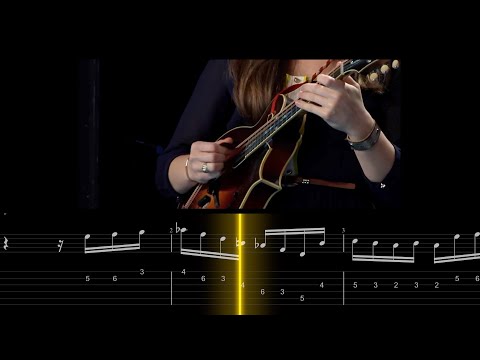
We don’t usually do on-screen tablature but this can be done relatively trivially inside Final Cut if you can export the tab as an image in a single strip:

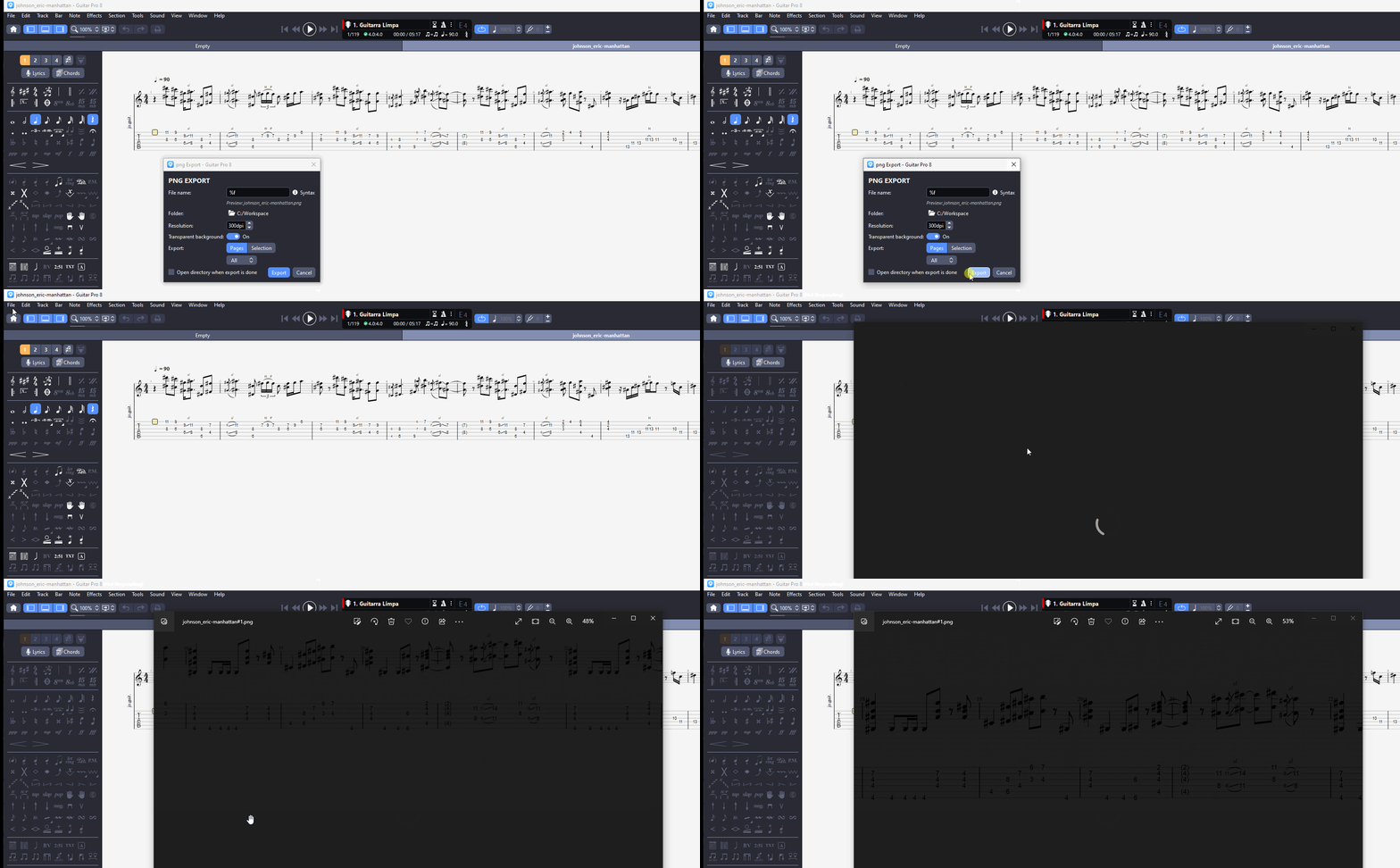
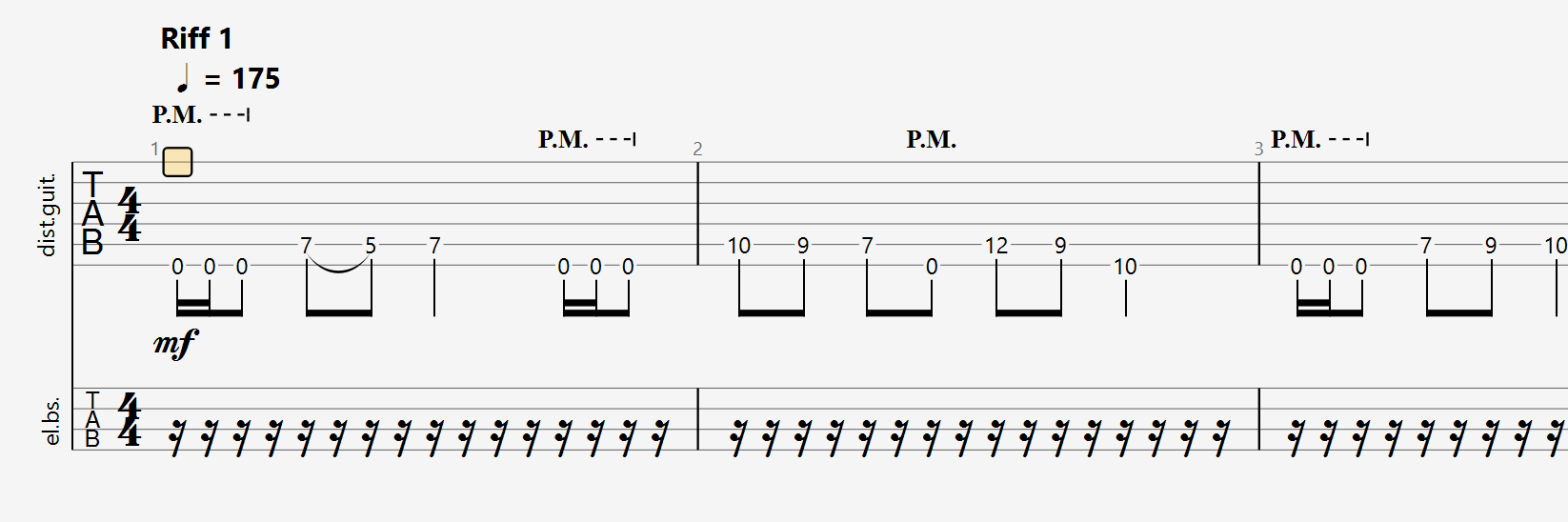
In this case I just did that manually by exporting the GP file as a PNG (single click) and lining up the staves up side by side in FCP. Tab and Sierra Hull video are unrelated, just a mockup.

So if you want to script something, all you need to do is script the slicing of the PNGs by a known set of pixel dimensions, lining them up side by side, and exporting as a really long image. That’s probably a lot easier than writing something to read tablature files. Note that you want to enable Bar → System Layout → Fixed in GP so all the bars are the same size and the inter-staff spacing is the same.

Benefits:

Instant export / no video capture. Playhead design of your choosing — in this case a square at .5% scale with a glow effect applied, all in FCP. Scrolling with two keyframes — one at the beginning, one at the end.

2 Likes

This only works if you have a constant moving cursor, if you have mixes of eighths, sixteenths and thirty-seconds notes, then you would have to account for that for your cursor and animate it in your video editor of choice to match what GTP does.

By the way, Troy, you don’t need to do the lining up yourself, if you select “Views > Screen - Horizontal” in GTP, and then export to PNG, it does all of the lining up for you and produces a single image.

Edit: thank you for sharing the fixed system layout tip, I did not know about that and varying sized bars was something I struggled with.

2 Likes

Well, duh, that makes things easier! Then I think you’re done here. Just export and drop it into your video editor.

As far as the scrolling, there should be no issue there. You set all the bars to the same size with the fixed layout, and set a constant scroll speed with your keyframes. The playhead just represents the current instant in time, so it should always be lined up with the note that is playing at that moment. Unless I’m missing something.

Only asterisk I can think of is if the clip is not quite “metronomic” in its consistency of tempo. Then there would have to be some futzing w the scroll speed. (And I think that’s basically the best part about the “creator” end/interface for soundslice; the syncing tools handle these scenarios very easily)

The new Guitar Pro has the “sync” feature to allow the user to inport an audio file and then sync the score to that track, but it doesn’t work at an A+ level yet. It allows the score’s tempos to change as the tempos of the performance change.

Works ok for recordings that were done with a click track, or stay very consistent otherwise. Kind of crappy interface/tool for when the tempo is not straight forward.

I know 99% of anything we’d be talking about would be recorded with a click or super consistent tempo, making what I’m saying here irrelevant in those circumstances, but there’s probably the most relevance in things like rubato intros: Eric Johnson - Cliffs of Dover - ANIMATED TAB by Cortlan GK - YouTube

2 Likes

Adding a keyframe in Final Cut is the same thing as adding a sync point in SoundSlice. So in that respect uneven tempos should be just as hard or easy as they would be in SoundSlice. Move to the note you want in the audio track, add a keyframe on your scrolling tab image, and drag the X value left or right until the same note lines up exactly with the on-screen playhead.

The bigger issue is the “View - Screen Horizontal” setting does not translate to export — I just tried it and GP still exports a typical multi-staff page view. So the method remains super manually intensive without a way to slice the GP image exports into a continuous linear staff.

2 Likes

I think it’s a new feature in Guitar Pro 8 as I tested it in Guitar Pro 7 and it did not work.
Gif

Gotcha. I think we have 8 in the office and I still have 7 at home. Since most people wouldn’t really know what to do with an image thousands of pixels wide, I wonder if this feature was enabled expressly for doing the scrolling tab trick. What else would you use it for?

1 Like

Ha, exporting a long image is brilliant and the scrolling looks awesome. Thanks!

PS: we should tell @LeviClay88 about this as it could makes his transcription videos even more awesome

By the last video on IG, it seems to me that @Troy is liking the black background tabs :blush:

1 Like

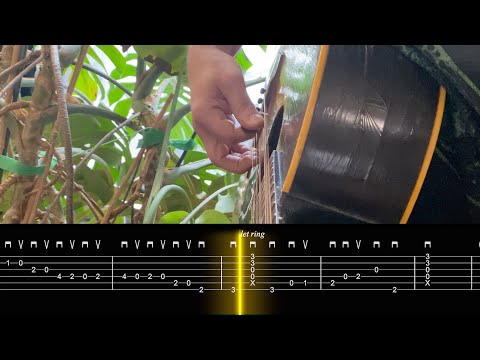
FYI just used this on a real YouTube / Instagram post:

The one bit I didn’t account for is the empty space between the bars, so the scroll can’t just be an even velocity — you do need a “syncpoint” at every bar to keep the playhead lined up to where the notes begin.

But the process is pretty easy. Just play until you see the pickstroke the begins the bar, click to add keyframe, then drag the X value until the tab lines up exactly. Rinse / repeat. Here’s what the result looks like in FCP for this clip:

For clips like the free time EJ intro, the process is exactly the same. Presence or lack of click doesn’t really matter since the scroll speed isn’t constant anyway.

3 Likes

Just from a casual viewing, this looks really pro (which we’ve unfortunately come to expect since you’ve set such a high bar for yourself :rofl: )

It’s super easy to grab a guitar and try playing your example with this. Which is nice, since a lot of your videos only show the picking hand, it takes a deal of reverse engineering to try figuring out what was in the clip. I think a lot of people will really enjoy this if you make it a regular feature in your short clips.

2 Likes

Honestly I just put this on YouTube because I had it. We made it as a test and we almost never put things on YouTube any more, being swamped with Magnets and other things, so I was like, whatever I’ll post that. I don’t have any sense if really short clips like this actually do anything for us.

What we know is that people find us by watching longer stuff with decent production that really taught them something. And we know this only because they mention it. For the super low-effort short stuff, I’m not sure how or even if that really works. Maybe if you make a constant stream of really short stuff, and that becomes your whole thing, that can do something. That’s what TikTok is I suppose. But that’s a job in itself — that we also don’t have any time for.

1 Like

Oooo, cool: Introducing our player’s dark mode | Soundslice product updates.

1 Like

Well, it’s been a while. I did some more experimentation with this in the months since.

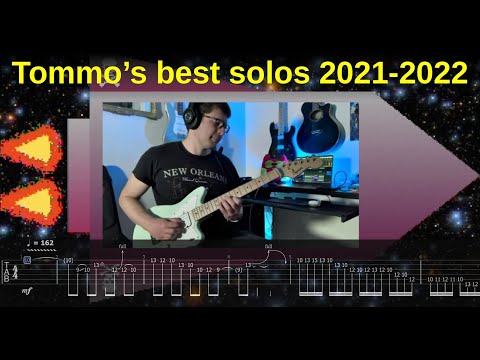
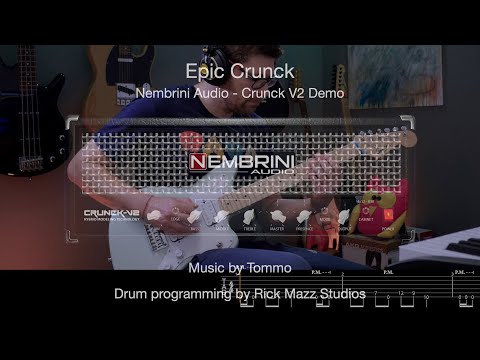
First, I made a “solo compilation” video with the “old” method of screen-capturing the Guitar Pro tab as it was scrolling:

Then, I had a go at the method by Troy and @CyborgCutie which is probably the best / most flexible for my original objective, because you have this long png image and you can adjust its scrolling speed, zoom level, etc. by using a video editing software like Final Cut Pro.

In this first application, I exported bars of different widths in the png, so I had to sync each individual bar manually:

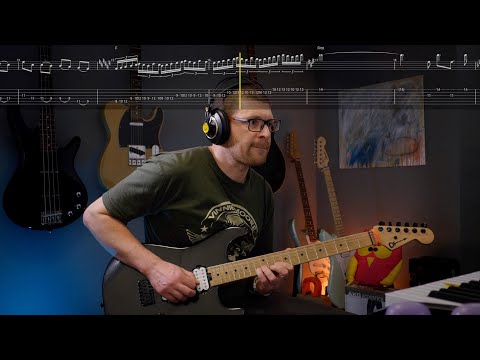
Then, I tried to find a method to reliably export a png image with bars of equal lengths from guitar pro 8. Not sure if it’s a bug or I missed something, but while GP8 has the option to have bars of the same size, the png export always reverted to unequal bars when exporting. So I came up with a hack: have a second tab filled with 16th-note pauses, which would enforce the bar size for the upper tab:

Then, I can get away with fewer syncpoints (ideally just one at the start, one at the end), and I can crop the bottom tab in the video editor so you don’t see it:

Now, for the last one, the same trick did not work, since I had some key changes that once again made certain bars have a different size (even with the “16th-pauses” trick). So, unless GP8 fixes the (suspected) png export bug (where you can’t enforce equal bar lengths in the exported image), we are back to having to manually set various sync points to make sure the scrolling is roughly correct around the key changes:

TLDR: I think @JakeEstner was right that at the end of the day all this may not be worth it in a world where SoundSlice exists :sweat_smile:

However, I came to the conclusion that @JakeEstner was right all along — this is cool and all but it might not be worth the effort, versus just creating a “slice” on soundslice (where people also have the option of turning tabs on and off as needed).
2 Likes

It’s very rare that I’m wrong about anything.

JK but yeah this looks good and I understand the flexibility and control you want, but I feel like soundslice screen grab in the new dark mode, putting the vid together like that will take 1/100th of the amount of time and look about 96% as good imo.

But I’m just not a very fancy man.

2 Likes